
Listen to this podcast in the app for free: Download for free in the App Store
radio.net
Sleep timer
Save favourites
171 episodes
How Much Health Data Is Too Much?
27/10/2026 | 38 mins.From sleep trackers to self-pay bloodwork and full-body MRIs, health tracking has exploded in popularity. These tools promise to potentially catch diseases earlier, so that you can live a happier and healthier life. But can they deliver?
This week, we’re turning the tables to interview Wirecutter Show co-host Christine Cyr Clisset about her six-month experiment tracking her health 24/7. She spent six months testing an array of Wirecutter-recommended wearables, as well as direct-to-consumer tests to see what, if anything, could help improve her health.
We discuss the surprising insights she gained, as well as the significant perils of health tracking, from privacy risks to data-induced anxiety.
This episode covers:
What health and fitness trackers do best. Devices like the Oura Ring and Apple Watch can act as "accountability buddies" to help people change their daily habits.
The pros and cons of self-pay tests. Many doctors don’t recommend self-pay bloodwork or full-body scans (like MRIs), because they can lead to overdiagnosis and health anxiety. Yet Christine found external bloodwork helpful (to an extent), as well as a DEXA scan, which helped flag her thinning bone mineral density..
How AI can help. Christine found that feeding her various health reports into chatbots helped her come up with better questions for her doctors.
The risks of tracking. Tracking can cause data-induced anxiety. Plus, many wearables, apps, and AI tools fall outside HIPAA protection, which means your data may be used in ways you don’t want.
Products we recommend:
A stylish wearable with tons of data: Oura Ring 4
The best smartwatch for iPhone owners: Apple Watch SE (3rd generation)
Additional reading:
The Promise and Peril of Tracking My Health 24/7
The Best Sleep Trackers: Rings, Watches, and Other Wearables
The 4 Best Fitness Trackers of 2026
Can You Really Disappear Online?
We independently review everything we recommend. When you buy through our links, we may earn a commission. Learn more›
Wirecutter Social and Website
Instagram: /wirecutter
Threads: /@wirecutter
Twitter: /wirecutter
Facebook: /thewirecutter
TikTok: /wirecutter
LinkedIn: /nyt-wirecutter
Website: https://www.nytimes.com/wirecutter/
Newsletter: https://www.nytimes.com/wirecutter/newsletters/
The Wirecutter Show is executive produced by Rosie Guerin and produced by Abigail Keel. Studio support from Maddy Masiello, Nick Pitman, Kyle Grandillo, and Samantha Winter. Episodes are mixed by Catherine Anderson, Daniel Ramirez, and Sophia Lanman. Original music by Dan Powell, Marion Lozano, Elisheba Ittoop, and Diane Wong. Wirecutter’s deputy publisher and general manager is Cliff Levy. Ben Frumin is Wirecutter’s editor-in-chief. Hosted by Rosie Guerin, Caira Blackwell and Christine Cyr Clisset.
Find edited transcripts for each episode here: The Wirecutter Show Podcast
Hosted by Simplecast, an AdsWizz company. See pcm.adswizz.com for information about our collection and use of personal data for advertising.Is Apple's Foldable iPhone Duo the Future of Smartphones?
23/10/2026 | 23 mins.Apple just released their first foldable phone, the $2,000 iPhone Duo. Foldable phones promise to give you a smartphone and a tablet in one device, with a bigger screen for reading, streaming, and multitasking. But with a price tag that high, are they actually worth it?
Senior tech editor Caitlin McGarry and staff tech writer Brenda Stoylar break down what Apple has improved with the Duo, what still falls short, and who these phones are for. Their biggest takeaway: The iPhone Duo is a top-tier foldable phone, but you probably don’t need one.
This episode covers:
Who might actually benefit from a foldable. If you regularly multitask, read, stream, or want to combine your phone and tablet, a larger folding screen could be useful.
Foldables have gotten better. Improved hinges, more durable displays, and better water and dust resistance make the iPhone Duo and the Samsung Galaxy Z Fold8 more practical than earlier models.
Why most people don’t need one. If you mainly call, text, browse, and take everyday photos, a regular phone will get the job done for far less money.
Products we recommend:
A top-tier iPhone experience: Apple iPhone Duo
The best foldable phone-tablet: Samsung Galaxy Z Fold8
The best clamshell foldable: Motorola Razr Ultra (2026)
Additional reading:
Apple’s Foldable iPhone Duo Is the Most Exciting Phone in Years. And It Lives Up to the Hype.
The Best Foldable Phones
We independently review everything we recommend. When you buy through our links, we may earn a commission. Learn more›
Wirecutter Social and Website
Instagram: /wirecutter
Threads: /@wirecutter
Twitter: /wirecutter
Facebook: /thewirecutter
TikTok: /wirecutter
LinkedIn: /nyt-wirecutter
Website: https://www.nytimes.com/wirecutter/
Newsletter: https://www.nytimes.com/wirecutter/newsletters/
The Wirecutter Show is executive produced by Rosie Guerin and produced by Abigail Keel. Studio support from Maddy Masiello, Nick Pitman, Kyle Grandillo, and Samantha Winter. Episodes are mixed by Catherine Anderson, Daniel Ramirez, and Sophia Lanman. Original music by Dan Powell, Marion Lozano, Elisheba Ittoop, and Diane Wong. Wirecutter’s deputy publisher and general manager is Cliff Levy. Ben Frumin is Wirecutter’s editor-in-chief. Hosted by Rosie Guerin, Caira Blackwell and Christine Cyr Clisset.
Find edited transcripts for each episode here: The Wirecutter Show Podcast
Hosted by Simplecast, an AdsWizz company. See pcm.adswizz.com for information about our collection and use of personal data for advertising.Face Sunscreen For Every Season
20/10/2026 | 34 mins.It’s easy to forget to wear sunscreen in the fall and winter, but the sun’s rays can still cause skin damage–like aging and skin cancer–even on cold and cloudy days. That’s why it’s important to find a sunscreen you’ll happily wear year-round.
Wirecutter health writer Nancy Redd joins us to explain what to look for in a face sunscreen and how to find one that feels good on your skin. She breaks down mineral versus chemical formulas, how to layer sunscreen with makeup, and when you can get away wearing body sunscreen on your face.
Plus, we discuss Nancy’s early testing of two sunscreens that include an ingredient newly approved by the FDA.
This episode covers:
The difference between UVB and UVA rays: These two types of ultraviolet rays damage the skin in different ways. UVB causes the skin to burn, while UVA rays play a bigger role in aging skin. Nancy reminds us to think of B for burning and A for aging.
Why you need a minimum of SPF 30. SPF 30 should shield 97% of the sun’s UVB rays, and is the minimum the American Academy of Dermatology recommends for daily wear.
Look for “broad spectrum” on labels: This means the sunscreen protects against both UVA and UVB rays. Reapply according to the label, generally every two hours.
The best sunscreen is the one you’ll use consistently. Mineral and chemical sunscreens can both protect your skin effectively, but their textures, finishes, and ingredients feel different from person to person.
Sunscreen should go underneath makeup. Apply moisturizer first, then sunscreen, and let it absorb before adding makeup or tinted moisturizer. Makeup with SPF is a useful extra layer, but it shouldn’t replace your primary sunscreen.
Give sunscreen time to settle before judging it. A formula that initially feels greasy or looks shiny may change as it dries down. Testing how it wears with your skin and skincare routine can help you find a better fit.
A new ingredient: The FDA approved a new chemical sunscreen ingredient (bemotrizinol or BEMT) for the first time in 25 years. Wirecutter is currently testing the two brands with versions on the market so far.
Products we recommend:
A crowd-pleasing lotion in an economical jug: Supergoop Play Everyday Lotion SPF 50
A lightweight, fast-absorbing lotion: Bioré UV Aqua Rich Moisturizer Sunscreen SPF 50
A gel that doubles as a makeup primer: Trader Joe’s Daily Facial Sunscreen SPF 40
An unobtrusive mineral lotion: Hero Force Shield Superlight Sunscreen SPF 30
A daytime moisturizer with SPF (mineral): Vanicream Facial Moisturizer with SPF 30
An ultra-blendable, fragrance-free lotion: La Roche-Posay Anthelios Melt-In Milk Sunscreen SPF 100
A daytime moisturizer with SPF (chemical): CeraVe AM Facial Moisturizing Lotion SPF 30
A face-specific lotion that costs less than our other fragrance-free picks: Banana Boat Sheer Sensitive Face Lotion SPF 50
An inexpensive body sunscreen in a big pump bottle: Equate Sport Broad Spectrum Sunscreen Value Size SPF 50
Nancy loves: CyberPower LE1000DG
Additional reading:
The Best Face Sunscreens
The Best Sunscreens
The Problem With SPF Makeup (and How to Solve It)
This Trader Joe’s Sunscreen May Be Even Better Than Its Much Pricier Counterpart
We independently review everything we recommend. When you buy through our links, we may earn a commission. Learn more›
Wirecutter Social and Website
Instagram: /wirecutter
Threads: /@wirecutter
Twitter: /wirecutter
Facebook: /thewirecutter
TikTok: /wirecutter
LinkedIn: /nyt-wirecutter
Website: https://www.nytimes.com/wirecutter/
Newsletter: https://www.nytimes.com/wirecutter/newsletters/
The Wirecutter Show is executive produced by Rosie Guerin and produced by Abigail Keel. Studio support from Maddy Masiello, Nick Pitman, Kyle Grandillo, and Samantha Winter. Episodes are mixed by Catherine Anderson, Daniel Ramirez, and Sophia Lanman. Original music by Dan Powell, Marion Lozano, Elisheba Ittoop, and Diane Wong. Wirecutter’s deputy publisher and general manager is Cliff Levy. Ben Frumin is Wirecutter’s editor-in-chief. Hosted by Rosie Guerin, Caira Blackwell and Christine Cyr Clisset.
Find edited transcripts for each episode here: The Wirecutter Show Podcast
Hosted by Simplecast, an AdsWizz company. See pcm.adswizz.com for information about our collection and use of personal data for advertising.The Best Soundbars (Plus Lessons from 40 Years of Audio Testing)
16/10/2026 | 23 mins.If you’ve ever found yourself cranking the volume on a movie to hear the dialogue, only to be blasted by the next explosion, you’re not alone. Televisions today produce subpar sound quality. That’s why a good soundbar–basically a compact stereo system–can instantly upgrade your home television experience.
Wirecutter audio expert Brent Butterworth joins us to explain how soundbars work, what you actually get when you spend more, and which features matter most for your setup. Whether you want clearer dialogue, deeper bass, or a more immersive surround-sound experience, Brent breaks down how to find the right soundbar. Plus, he shares his favorite testing stories as he retires from Wirecutter after 14 years!
This episode covers:
Why TV speakers sound so bad. Modern sleek televisions don’t have enough room for large enough speakers to produce a fuller, clearer sound.
What you get from a soundbar. Even an inexpensive model can improve dialogue and bass, while pricier systems may add wireless surround speakers and more powerful subwoofers.
How to choose the right model. Consider the size of your room, how loudly you listen, what you watch, and whether you need a dialogue-enhancement feature.
How to test sound quality. Brent loves to test soundbars with the films U-571 and Apocalypse Now because they have a range of sounds, voices, and loud explosions. However, he suggests testing soundbars with the kinds of movies and shows you watch often and love, and pay close attention to whether dialogue stays clear during action scenes and whether bass sounds full rather than distorted.
Products we recommend:
A soundbar with strong, clear sound at a friendly price: TCL S55H
A clearer, more enveloping sounding soundbar: Samsung HW-Q990H
The best soundbar for the style-minded shopper: Bose Lifestyle Ultra Soundbar and Subwoofer
The best soundbar for the money: Vizio Elevate 7.1.4 Pro
Additional reading:
The Best Soundbar
We independently review everything we recommend. When you buy through our links, we may earn a commission. Learn more›
Wirecutter Social and Website
Instagram: /wirecutter
Threads: /@wirecutter
Twitter: /wirecutter
Facebook: /thewirecutter
TikTok: /wirecutter
LinkedIn: /nyt-wirecutter
Website: https://www.nytimes.com/wirecutter/
Newsletter: https://www.nytimes.com/wirecutter/newsletters/
The Wirecutter Show is executive produced by Rosie Guerin and produced by Abigail Keel. Studio support from Maddy Masiello, Nick Pitman, Kyle Grandillo, and Samantha Winter. Episodes are mixed by Catherine Anderson, Daniel Ramirez, and Sophia Lanman. Original music by Dan Powell, Marion Lozano, Elisheba Ittoop, and Diane Wong. Wirecutter’s deputy publisher and general manager is Cliff Levy. Ben Frumin is Wirecutter’s editor-in-chief. Hosted by Rosie Guerin, Caira Blackwell and Christine Cyr Clisset.
Find edited transcripts for each episode here: The Wirecutter Show Podcast
Hosted by Simplecast, an AdsWizz company. See pcm.adswizz.com for information about our collection and use of personal data for advertising.Secrets to Cheap Travel (Encore)
13/10/2026 | 33 mins.This week, we’re re-airing a conversation about how to travel for less. We dive into the best tried-and-true strategies for stretching your travel budget.
Elaine Glusac, a longtime travel journalist and The Frugal Traveler columnist at The New York Times, joins us to share her best money-saving hacks, from timing your flight purchases just right, to negotiating directly with Airbnb hosts.
She also explains how to leverage under-the-radar resources like Going.com for finding cheap flights and Costco Travel for car rentals. Plus she shares how to navigate Black Friday travel deals for cruises, flights, and hotels.
This episode covers:
When to book flights for the best prices: Elaine breaks down the “sweet spots” for booking both domestic and international travel, plus why holidays require a different strategy.
Why flexibility matters more than loyalty: Shifting your departure by just a day or two can save you money and stress—and sometimes matters more than which airline you fly.
How to spot true airfare deals: Tools like Google Flights and Kayak alerts can help you track fares and avoid misleading “fake sales.”
Why you should negotiate directly with hosts: Reaching out to Airbnb or Vrbo owners can unlock discounts you won’t find through the platform.
When Black Friday travel sales are worth it: Some cruise lines and hotels run genuine deep discounts—but Elaine shares how to separate the hype from the real bargains.
The Frugal Traveler columns we discussed:
The Secret to Finding the Best Travel Bargains
How to Avoid Paying Vacation Rental Fees
Driving the Alaska Highway
Credit Card Swipe Fees Are Going Down. Are Points Going With Them?
Traveling Abroad? If You’re Paying With Dollars, Your Trip Is on Sale.
Cheap Flights, Half-Price Cruises: This Travel Tuesday, Deals Abound
Getting the Most Bang for Your Buck While Traveling Overseas
Join the Club, Save Some Money
We independently review everything we recommend. When you buy through our links, we may earn a commission. Learn more›
Wirecutter Social and Website
Instagram: /wirecutter
Threads: /@wirecutter
Twitter: /wirecutter
Facebook: /thewirecutter
TikTok: /wirecutter
LinkedIn: /nyt-wirecutter
Website: https://www.nytimes.com/wirecutter/
Newsletter: https://www.nytimes.com/wirecutter/newsletters/
The Wirecutter Show is executive produced by Rosie Guerin and produced by Abigail Keel. Studio support from Maddy Masiello, Nick Pitman, Kyle Grandillo, and Samantha Winter. Episodes are mixed by Catherine Anderson, Daniel Ramirez, and Sophia Lanman. Original music by Dan Powell, Marion Lozano, Elisheba Ittoop, and Diane Wong. Wirecutter’s deputy publisher and general manager is Cliff Levy. Ben Frumin is Wirecutter’s editor-in-chief. Hosted by Rosie Guerin, Caira Blackwell and Christine Cyr Clisset.
Find edited transcripts for each episode here: The Wirecutter Show Podcast
Hosted by Simplecast, an AdsWizz company. See pcm.adswizz.com for information about our collection and use of personal data for advertising.
More Education podcasts


Trending Education podcasts








About The Wirecutter Show
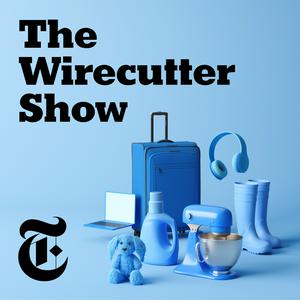
The Wirecutter Show is a podcast offering expert advice on everyday products that will make your life better. Each week, co-hosts Christine Cyr Clisset and Caira Blackwell, alongside producer Rosie Guerin, speak with Wirecutter’s best-in-class journalists and other expert guests for actionable advice, surprising life hacks, and delightful product discoveries. From which stand-mixer will last you a lifetime, to the best way to travel with pets, to figuring out if your smart lock is spying on you, The Wirecutter Show gives you straightforward solutions based on years of rigorous and independent product testing by more than 140 Wirecutter journalists.
Subscribe today at nytimes.com/podcasts or on Apple Podcasts, Spotify and Amazon Music. You can also subscribe via your favorite podcast app here https://www.nytimes.com/activate-access/audio?source=podcatcher. For more podcasts and narrated articles, download The New York Times app at nytimes.com/app.
Podcast websiteListen to The Wirecutter Show, Everyday Māori and many other podcasts from around the world with the radio.net app
Get the free radio.net app
- Stations and podcasts to bookmark
- Stream via Wi-Fi or Bluetooth
- Supports Carplay & Android Auto
- Many other app features
Get the free radio.net app
- Stations and podcasts to bookmark
- Stream via Wi-Fi or Bluetooth
- Supports Carplay & Android Auto
- Many other app features

The Wirecutter Show
Scan code,
download the app,
start listening.
download the app,
start listening.
The Wirecutter Show: Podcasts in Family


 New Zealand